

Download mmhmm – Interactive Video Conference Tool for Mac
mmhmm, created by All Turtles Corporation, is a fresh take on video‑conference software that turns a ordinary webcam into a virtual stage. Unlike the Windows version, which is still in private beta, the macOS edition is fully released and ready for download. By acting as a virtual camera, mmhmm can be slotted into popular web‑based meeting platforms such as Zoom, Google Meet, Microsoft Teams, and even YouTube live streams.
The result is a dynamic, slide‑rich presentation that blends live video, pre‑recorded clips, animated graphics, and live web content—all without ever leaving the meeting window. Whether you’re a remote educator, a sales professional, or a content creator looking for a more engaging on‑camera presence, mmhmm offers a free‑to‑try version and a paid tier that unlocks premium backgrounds, advanced animation, and higher‑resolution output. This review walks through the core features, installation steps, system compatibility, and the pros and cons that matter most to power users.
Key Features that Set mmhmm Apart
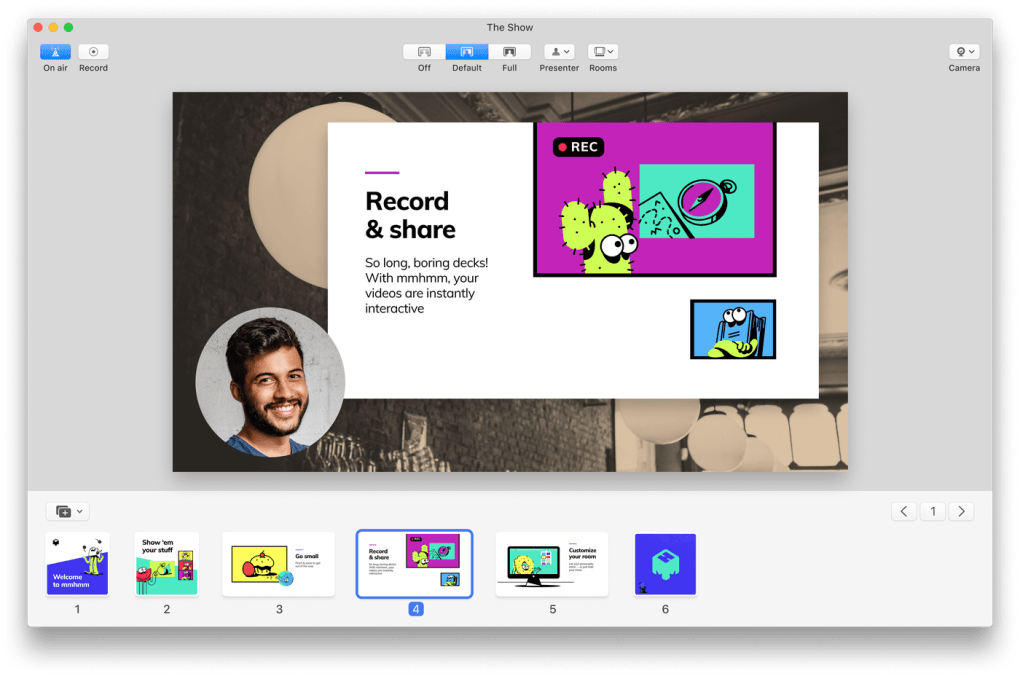
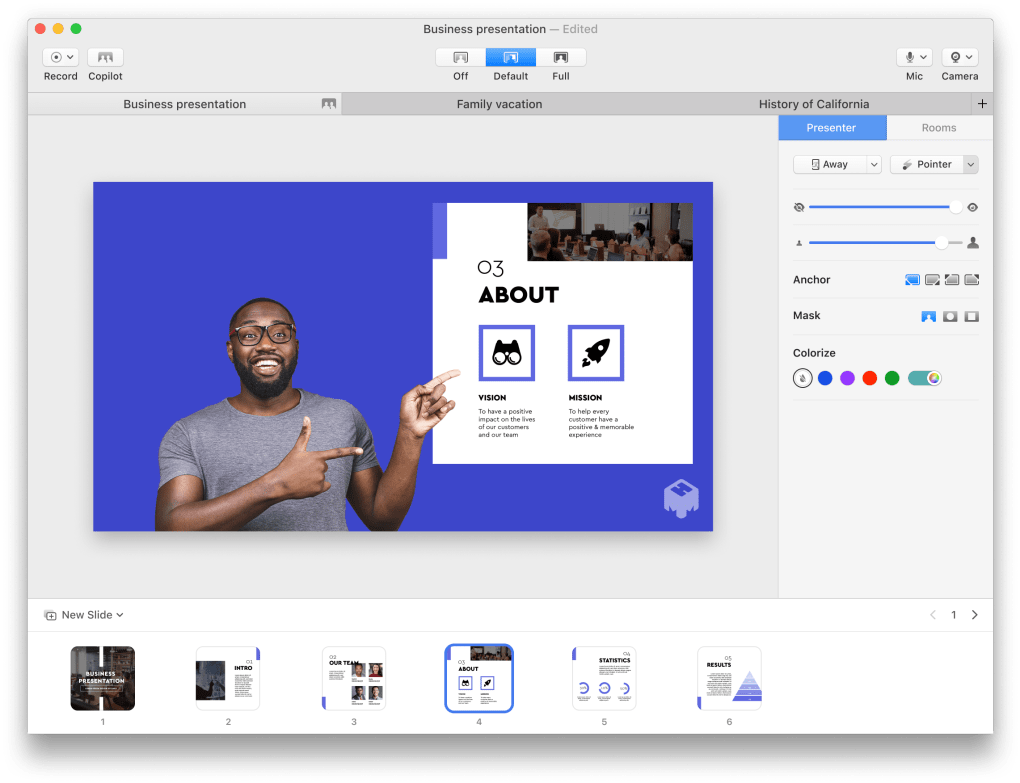
- Virtual Stage Builder: Drag‑and‑drop backgrounds, animated characters, and branded overlays to craft a personalized studio that reacts to your movements.
- Live Content Integration: Insert live web pages, live‑streaming video, or real‑time data visualizations directly into your camera feed.
- Slide & Media Sync: Seamlessly transition between PowerPoint‑style slides, GIFs, and video clips without leaving the conference app.
- High‑Definition Output: Supports up to 1080p HD video, with optional 720p streaming for lower‑bandwidth connections.
- Multi‑Platform Compatibility: Works as a virtual camera in any Chrome or Firefox‑based web meeting, and integrates with native desktop apps that accept external camera inputs.
- Interactive Recording: Record your performance locally with all visual layers intact, perfect for creating polished tutorial videos.
- Collaboration Tools: Share a “stage link” with teammates so multiple users can co‑host a virtual set in real time.
- Secure Cloud Sync: Save custom stage templates to the cloud with end‑to‑end encryption, making it easy to switch devices.
- Free Tier & Paid Upgrade: The free version provides essential tools, while the Pro subscription adds premium assets, custom fonts, and priority support.
Installation & Step‑by‑Step Usage (Google Meet Example)
Getting mmhmm up and running on macOS is straightforward. First, visit the official mmhmm website, click the “Download for Mac” button, and open the .dmg file. Drag the mmhmm icon into your Applications folder, then launch the app. The first launch will prompt you to grant camera and microphone permissions—essential for the virtual camera to function. After you accept, mmhmm will appear as a new camera source called “mmhmm Camera” in your system’s audio‑video settings.
To use mmhmm with Google Meet, follow these detailed steps:
- Open mmhmm and choose a background or stage layout you’d like to present.
- Start your preferred browser (Chrome or Firefox) and navigate to the Google Meet link.
- When the Meet lobby appears, click the three‑dot menu > Settings > Video.
- From the camera dropdown, select mmhmm Camera and confirm.
- Return to mmhmm and ensure your webcam feed is active; you’ll see a live preview of the virtual stage.
- Back in Meet, click Join now. Your audience will now see the staged video instead of a plain webcam feed.
- For presentations that contain a lot of text, click the Present now button in Meet, choose “Share a Window,” and pick the mmhmm window. This isolates the virtual camera feed and guarantees crisp slide rendering.
- Adjust video quality in Meet’s settings to “High definition (720p)” for both send and receive to keep the visual experience smooth.
The same workflow applies to Zoom, Microsoft Teams, and other platforms that support external cameras. Remember to restart your browser after installing mmhmm so the virtual camera is recognized. Safari and built‑in Apple apps like Photo Booth cannot use mmhmm due to macOS security restrictions, but any Chrome‑based or Electron‑based app will work without issue.
Compatibility, Pros & Cons
System Requirements
mmhmm requires macOS Catalina (10.15) or newer, at least 4 GB of RAM, and a modern Intel or Apple‑silicon processor. The application runs natively on both Intel‑based Macs and Apple M1/M2 chips, automatically using the appropriate architecture for optimal performance. A stable internet connection is essential for live streaming and cloud sync, though offline recording is fully supported.
Pros
- Transforms ordinary video calls into visually engaging presentations.
- Intuitive drag‑and‑drop interface reduces the learning curve.
- Works with any web‑based meeting platform that accepts external cameras.
- High‑definition output ensures professional‑grade visuals.
- Free tier available; Pro subscription adds valuable premium assets.
- Secure cloud storage for stage templates and assets.
Cons
- Not compatible with Safari or Apple‑native apps due to macOS security policies.
- Advanced features (custom fonts, premium backgrounds) require a paid subscription.
- Initial setup may be confusing for users unfamiliar with virtual cameras.
- Resource‑intensive on older Macs; may cause occasional frame drops.
- No native Windows client (still in private beta).
Frequently Asked Questions
Can I use mmhmm with Zoom on macOS?
Yes. After installing mmhmm, select “mmhmm Camera” in Zoom’s video settings. Restart Zoom if the camera does not appear, then join your meeting to broadcast your virtual stage.
Is there a free version of mmhmm?
A fully functional free tier is available. It includes basic backgrounds, slide transitions, and HD streaming. The Pro plan unlocks premium assets, custom fonts, and higher‑resolution recording for $9.99 per month.
Why doesn’t mmhmm work in Safari?
Safari enforces stricter system‑level security that blocks third‑party virtual camera drivers. mmhmm works in Chrome, Firefox, and any Electron‑based app that allows external camera input.
Can I record a presentation directly inside mmhmm?
Absolutely. mmhmm includes a built‑in recorder that captures both video and all visual layers. Recordings can be exported as MP4 files for later editing or publishing.
Do I need a powerful Mac to run mmhmm smoothly?
While mmhmm runs on any Mac that meets the minimum OS requirement, older hardware may experience occasional lag when using complex animations or 1080p output. For the best experience, use a Mac with at least 8 GB RAM and an M1/M2 chip.
Conclusion & Call to Action
mmhmm brings a much‑needed splash of creativity to the otherwise static world of video conferencing. By turning a simple webcam into a customizable virtual studio, it empowers educators, marketers, and remote teams to keep audiences engaged and reduce “Zoom fatigue.” The macOS version is polished, stable, and integrates seamlessly with the most popular web‑based meeting tools. Although it lacks Safari support and a fully released Windows client, the feature set and ease of use make it a worthwhile addition to any professional’s toolkit. If you’re ready to upgrade your virtual presence, download mmhmm for Mac today, try the free tier, and consider the Pro subscription if you need premium assets and higher‑resolution recording.







